

Private Tabs Mobile App
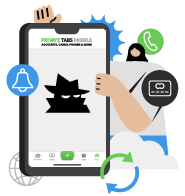
Mobile App 100% Free
Unlock dozens of features by connecting
your mobile app into the desktop app including
presale codes
DON’T MISS OUT - INSTALL OUR FREE MOBILE APP!
- Unlock presale codes
- Earn 2.4% cashback on every transaction using our virtual credit cards
- Access hundred of presale code
- Get early notifications and drop alerts for exclusive events
- Manage and track all of your accounts while on the go
- Access 24/7 customer service with Brandon AI
- All of your phone numbers using our inbox sms
- Synchronize all of your email accounts using a centralized email inbox
- Manage all the buys of your employees using our decision maker - you can accept or decline their purchases.
- Unlock geo located proxies powered by Nimble
- And much more, get started today!
HOW TO DOWNLOAD THE MOBILE APP
STEP 1: INSTALL THE MOBILE APP
Click on the links below to download:

or install using your phone by scanning one of the QR codes
App Store
Google Play Store
STEP 2: AFTER DOWNLOADING THE APP - ENTER YOUR PHONE NUMBER
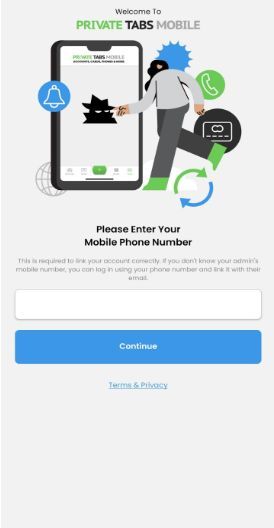
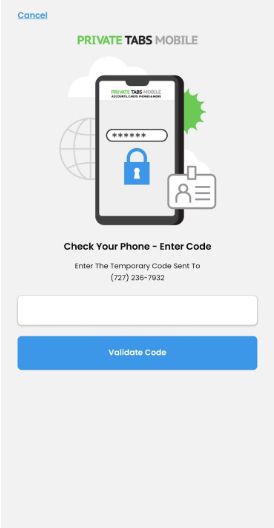
Enter the 2-factor authentication code sent to that mobile number.
- A 2-factor authentication code looks like:
"Your Private Tabs Mobile verification code is: ******"
STEP 3: SYNC THE MOBILE AND THE DESKTOP APP TOGETHER
After you install the mobile app don’t forget to synchronize it with the desktop.
This is a one time process and keeps everything in sync
Syncing should happen automatically if you are using the same phone number.
If you are not using the same phone number you may need to manually connect
with the mobile app following the instructions below.
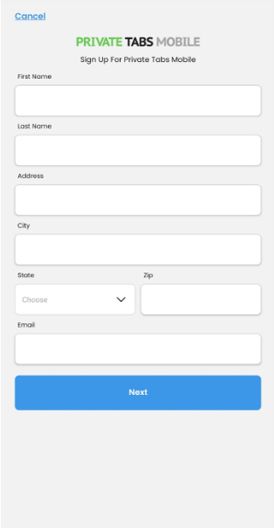
If you don’t have an existing Private Tabs account:
You’ll now be taken to the sign-up page, simply fill out the required details and
click Next to finish setting up your account.
Note: After signing up for Private Tabs Mobile, you’ll be able to see the main user interface. However,
to start using our free virtual credit cards (Private Cards), you’ll need to contact us so we can enable
the Cards section for you.
Add Private Cards for Full Power
With Private Cards + Private Tabs Mobile, you unlock:
- Platform-specific card control
- Higher checkout success rates
- Cashback and billing rewards
- One-tap access to card details, even during a rush