

Price Shader
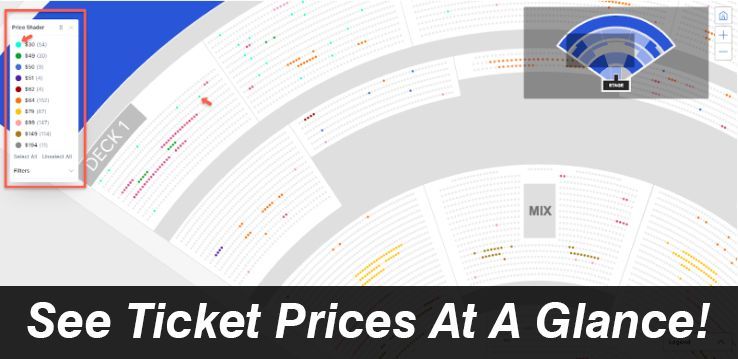
The Price Shader is a built-in tool that overlays the seat map and instantly color-codes seats by price.
Smarter Pricing, Made Visual
This tools makes it quick and easy to spot the best deals or filter by
specific price ranges. Other companies charge up to $99 for a
Chrome extension that does the same thing but with Private Tabs,
it’s included for free.
How to Turn on the Price Shader
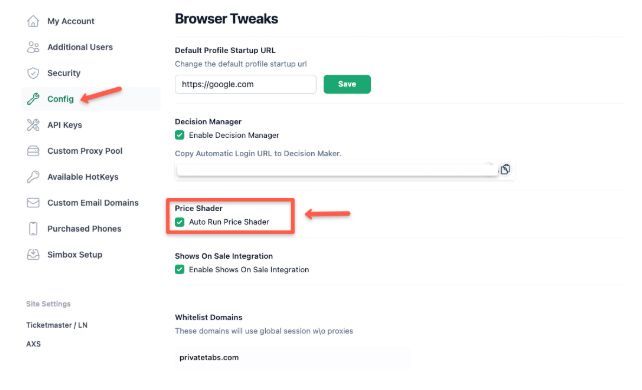
The Price Shader is found in the “browser tweaks” section located on the left.
To activate it simply click on browser tweaks then check the box to enable it.
WARNING - ONLY RUN ONE
Other companies such as Ticket Flipping and Shows on Sale have their own flavor of this that you can purchase. We recommend only running one price shader otherwise it could cause speed issues.
SUPPORTED WEBSITES
The price shader is built for the ticket industry so it works with most ticketing sites.
How to Use Price Shader
- Launch your browser using a PrivateTabs profile tied to a resale account (like Ticketmaster.com).
- Browse to the event page where you want pricing insights.
- On the PrivateTabs toolbar, look for the Price Shader button.
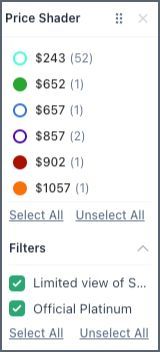
- Click it — a Price Shader pop-up toolbar will appear directly on the page.
- From there, you can:
- Select specific price tiers or sections
- Apply filters to highlight available seats, resale comps, underpriced listings, and more
No more guesswork or tab-hopping. Just clean, visual pricing that makes decisions easy.
Need help in turning on this feature?
Book a quick call with Sega, and we’ll get you set up in no time.
GOT A SUGGESTION?
Got a great idea for a feature? We’d love to hear it. Submit your feature request [here].